Get your space back from copies you didn't know you had
DiskTrim finds the same photo or video saved at another size or in another format, shows you each one, and clears out the extras.
All photo and video matching happens on your own Mac, iPhone or iPad. Nothing is sent to a server.
$19.99 at launch, then $29.99, paid once · Mac, iPhone and iPad · everything included
What you can do with it
Keep the good copy, drop the rest
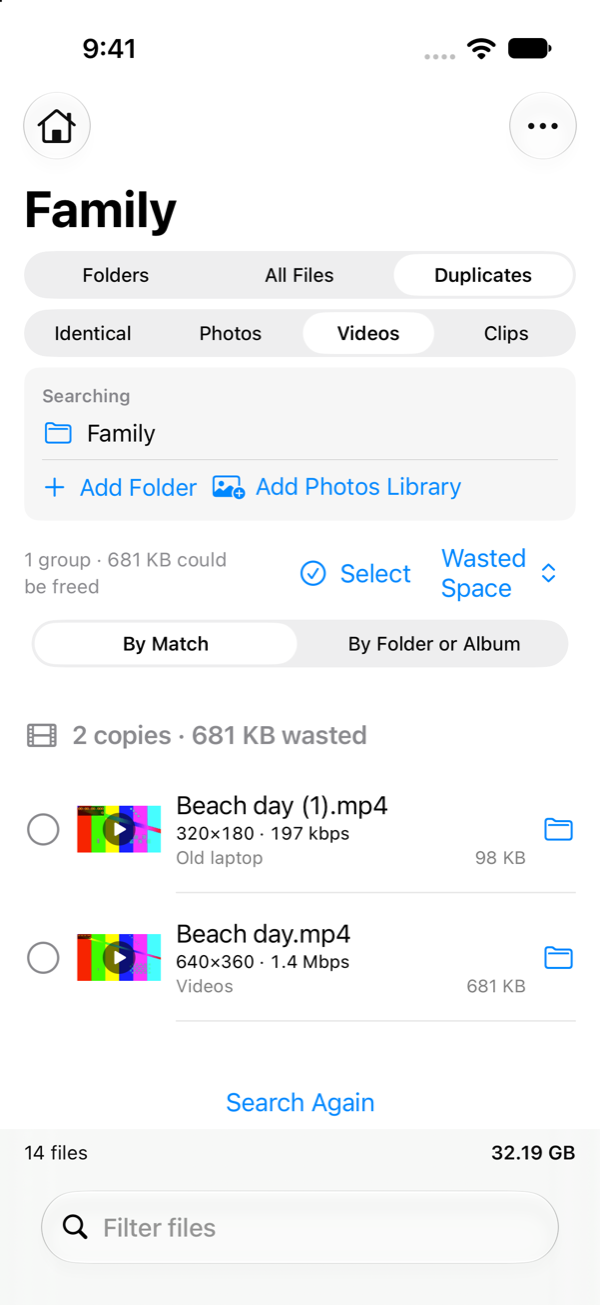
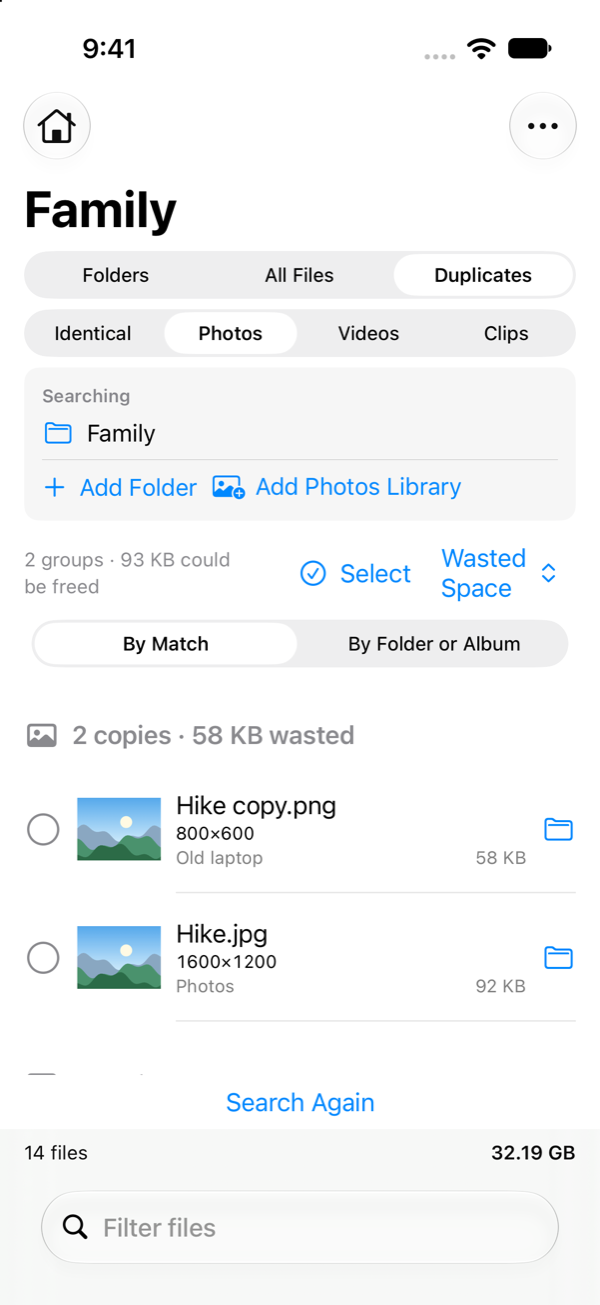
See resolution, bitrate and file size side by side, or let a rule such as Keep Highest Resolution pick for you.
Find copies other searches miss
Matching goes by what's in the picture, so a phone export, an emailed shrink or an MKV of an MP4 still shows up.
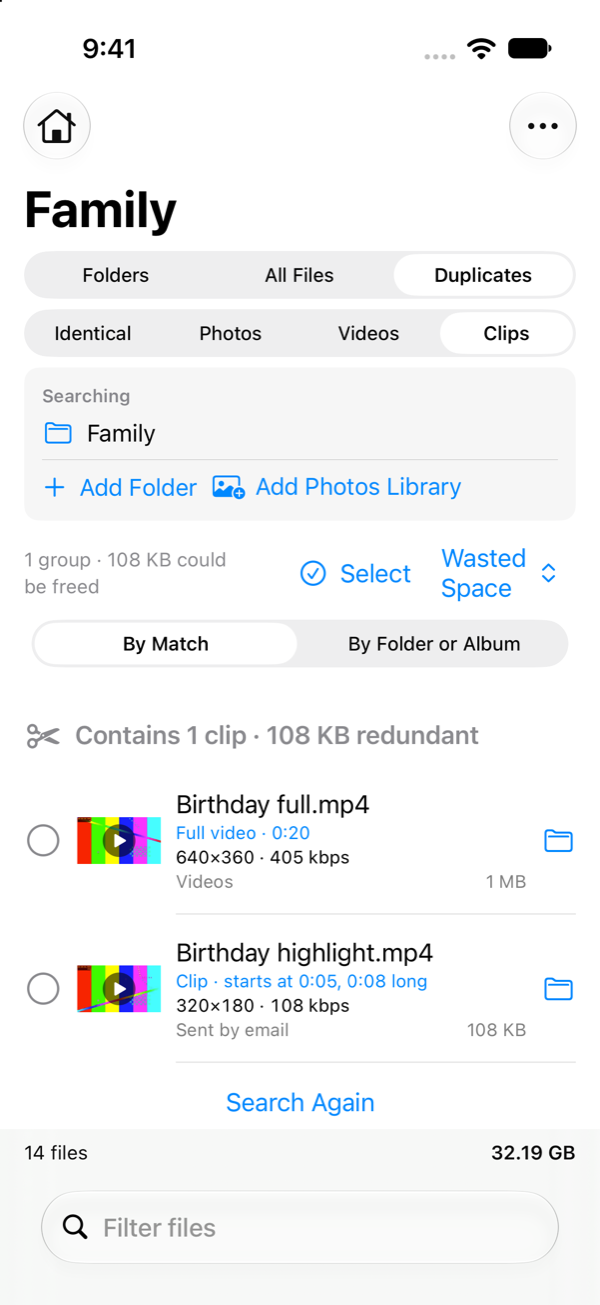
Stop storing the same footage twice
A short clip cut from a longer video is spotted, with where it starts.
Look before you delete
Open any photo at full size or play any video, right from the list.
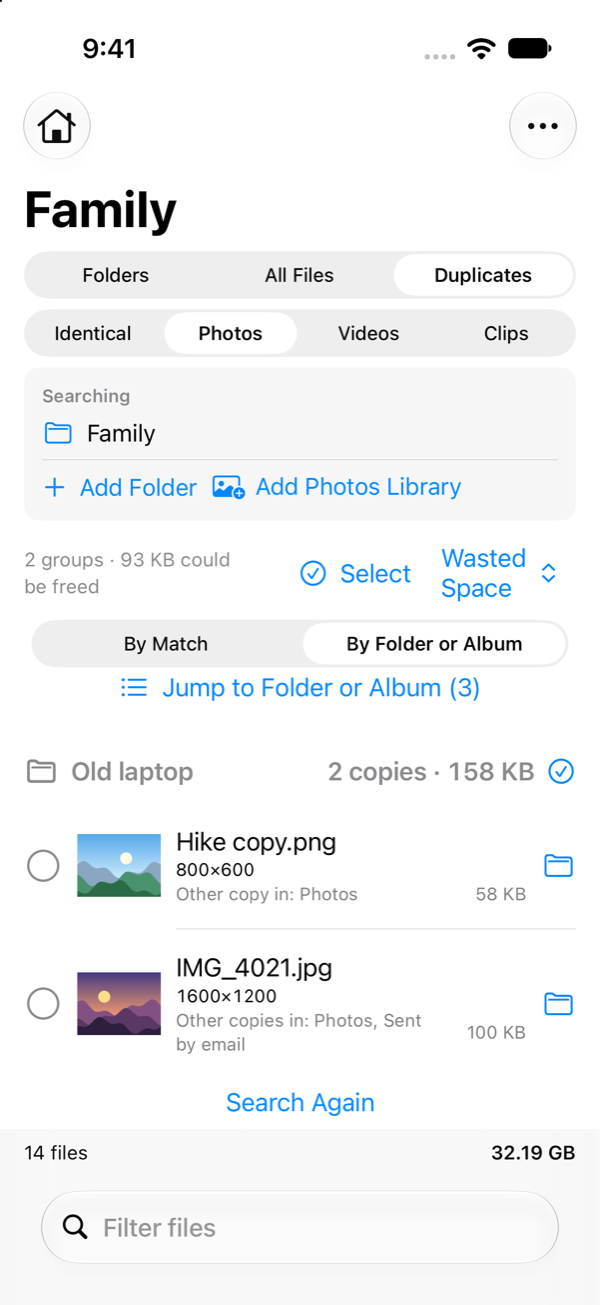
Tidy one folder or album at a time
See your duplicates by folder or Photos album, jump to any of them, and choose which place keeps its copies.
Start in one click
Pick your Photos library, or on Mac your whole disk, iCloud Drive or a usual folder.
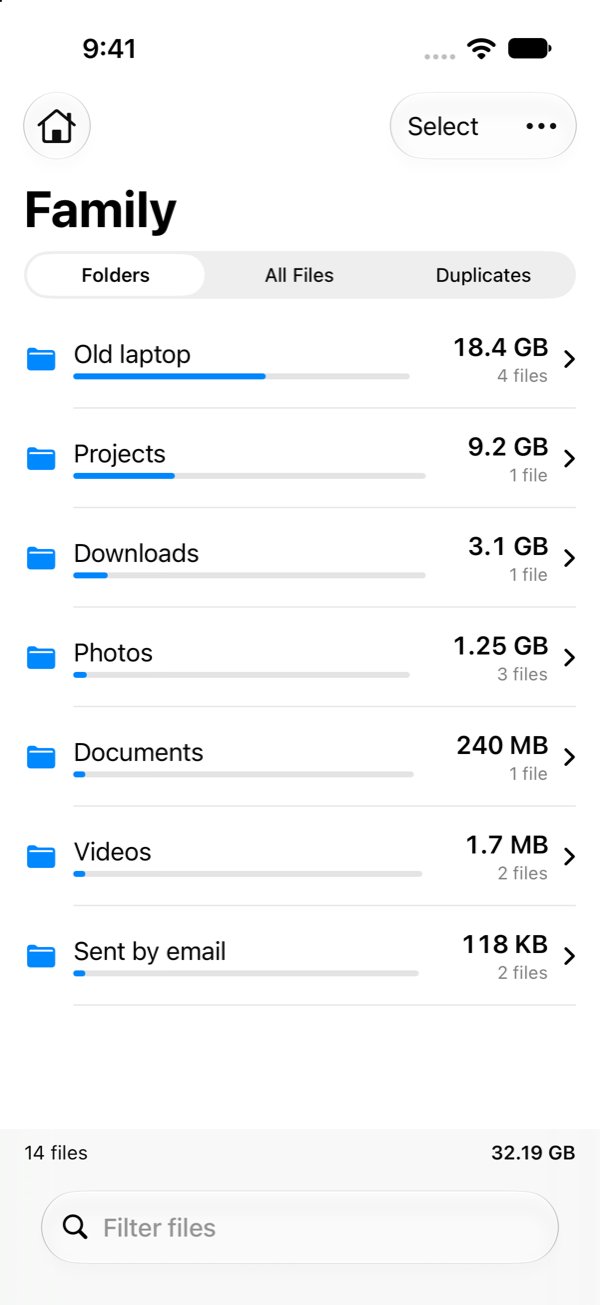
Know what's filling the drive
Every folder with its true size, and every file in one list you can sort and filter.
Clean several places at once
Search a laptop folder, an external drive and your Photos library together, and see which one holds each copy.
Delete without regret
You confirm every removal, and get a plain warning before anything that belongs to the system, an app or a photo library.
Your photos and videos never leave your device
All matching is done on your own Mac, iPhone or iPad. Nothing is sent to a server, because the app doesn't have one. No account, no ads, no analytics. See every protection.
One price
$19.99 at launch, then $29.99, paid once. No subscription, no in-app purchases, nothing held back. See how that compares.